
Stop Screwing Up. Here’s How To Choose A Gaming Monitor. For Real This Time.
Look. You’re dropping cash on a rig that costs more than my first car. Don’t tell me you’re goa slap a 1080p, 60Hz piece of junk on it. That’s sacrilege. Honestly, picking the right display is just as crucial, maybe more, than the GPU. This ain’t rocket science, but a lot of ‘guides’ out there are pure garbage. Fluff. SEO nonsense. They don’t tell you the dirt. The stuff that matters.
I remember back in ’09. Bought this massive 27-inch 1080p screen. Thought I was king. Then I saw a friend’s 1440p. My eyes bled. Felt like an idiot. The thing is, the tech moves fast. What was good last year is trash now. You need the facts. Unvarnished. No BS.

This isn’t about brands or pretty RGB. This is about performance. About getting that split-second advantage. About not getting eyestrain that makes you question your life choices after an hour. We’re diving deep. No holding back. Forget those fluffy listicles. This is the real deal on How To Choose A Gaming Monitor.
Resolution. It Ain’t Just About Pixels.
Yeah, yeah, 1080p, 1440p, 4K. Big deal. But what does it mean for you? More pixels means a sharper image. Duh. But it also means your GPU needs to work harder. A lot harder.
1080p (Full HD): The Bare Minimum.
Look, if you’re on a shoestring budget, or your rig is ancient, 1080p is where you live. It’s fine. It’s playable. Most competitive games look decent enough. But don’t expect miracles. It’s the entry-level. If you can swing it, go higher. Trust me.
1440p (QHD): The Sweet Spot.
This is where it gets good. 1440p offers a significant visual upgrade over 1080p without absolutely wrecking your GPU. Most mid-to-high-end cards can handle this resolution at high refresh rates. For most gamers, this is the sweet spot. The balance of performance and visual fidelity.
4K (UHD): Pretty Pictures, Performance Killer.
4K looks stuing. Like, really stuing. But the demands on your GPU are insane. You’re going to sacrifice refresh rates or graphical settings. If you’ve got the absolute top-tier GPU, like an RTX 4090, maybe you can make it work. Otherwise? It’s mostly for people who want pretty screenshots, not wiing streaks.
Refresh Rate. This Is Where Games Feel Different.
Forget resolution for a sec. Refresh rate is probably the single biggest factor in how smooth your game feels. It’s how many times the screen updates per second. Measured in Hertz (Hz).
60Hz: The Old Standard.
If your monitor is 60Hz, you’re living in the past. Games will feel… okay. There’s motion blur. It’s not responsive. Ever played a game at 120+ FPS and it felt buttery smooth? That’s what a high refresh rate does. 60Hz is just… there.
144Hz & 240Hz: The Real Deal.
144Hz is the current sweet spot for serious gamers. Everything feels fluid. Targets are easier to track. Input lag feels lower. You get an edge. 240Hz? That’s for the hardcore competitive players. The esports pros. The difference between 144Hz and 240Hz is smaller than 60Hz to 144Hz, but it’s there. If you can push those frame rates, go for it. But 144Hz is plenty for 99% of us.
What About 360Hz+?
Honestly? Diminishing returns. Unless you’re a pro gamer with a rig pushing 400+ FPS consistently, you’re wasting money. That extra cash could go to a better panel or adaptive sync tech. The thing is, most people don’t even have a rig that can hit those numbers.
Response Time. Ghosting is for Horror Movies, Not Gaming.
This measures how quickly a pixel can change color. Low response time means less motion blur, less ghosting. Ghosting is when you see trails behind moving objects. Nasty. Usually measured in milliseconds (ms). Look for 1ms GtG (Gray-to-Gray).
1ms GtG is the gold standard. Anything higher starts to become noticeable. Seriously, don’t cheap out here. I once gamed on a monitor with 5ms response time for a week. Felt like I was playing in molasses. Never again.
Panel Type. It All Comes Down To This.
This is where the tech geeks argue. TN, VA, IPS. Each has pros and cons. You gotta pick your poison.
TN (Twisted Nematic): Fast, But Ugly.
These are the oldest. Fastest response times usually. Cheapest. But the viewing angles? Garbage. Colors? Meh. They look washed out if you’re not looking straight on. Good for pure esports, maybe. For everything else? Pass.
VA (Vertical Alignment): Contrast King. But Smeary.
VAs offer incredible contrast ratios. Deep blacks. Great for cinematic games, horrors, anything with dark scenes. But. The response times? Can be slow. Especially in dark transitions. This leads to smearing. Motion smearing. Looks like crap in fast-paced games. The technology is improving, but still a risk.
IPS (In-Plane Switching): The Best All-Rounder.
IPS panels are the golden child for most. Great color accuracy. Wide viewing angles. Response times have gotten way better. You can find IPS panels with 1ms GtG. The downside? Contrast isn’t as good as VA. Blacks can look a bit grayish. But for gaming and general use? IPS is usually the way to go. The cost is usually higher, though.
Adaptive Sync. G-Sync vs. FreeSync. Who Cares?
This technology syncs your monitor’s refresh rate with your GPU’s frame rate. Eliminates screen tearing. Makes everything smoother. Crucial. Especially if your frame rate fluctuates.
Nvidia G-Sync: The Premium Option.
Requires an Nvidia GPU. Uses a dedicated hardware module in the monitor. Generally offers the best performance and widest range. But it’s expensive. Monitors with native G-Sync modules cost a premium. You’re paying for the Nvidia tax.
AMD FreeSync: The Open Standard.
Works with AMD GPUs. It’s an open standard, so it’s cheaper to implement. You’ll find FreeSync on tons of monitors. Most Nvidia cards (from the GTX 10-series onwards) can also use FreeSync, branded as ‘G-Sync Compatible’. Look for the G-Sync Compatible logo. It means Nvidia tested it and it works reasonably well. This is the more budget-friendly route.
The takeaway: Get adaptive sync. Period. Whether it’s G-Sync, FreeSync, or G-Sync Compatible. Don’t buy a gaming monitor without it in 2024. Seriously.
Size and Aspect Ratio. Bigger Isn’t Always Better.
We’re not talking about your girlfriend here. We’re talking monitors. Most gamers stick to 24-inch or 27-inch. Ultrawides exist. They’re niche.
24-Inch: The Classic.
Perfect for 1080p. If you’re competitive and play at high refresh rates, this is a good size. Less head movement needed. Easy to see the whole screen at once. Still relevant.
27-Inch: The Most Popular.
This is the sweet spot for 1440p. Big enough to be immersive, but not so big you’re turning your head constantly. Good for a mix of gaming and productivity. If you go 27-inch 1080p, it’ll look pixelated. Don’t do that.
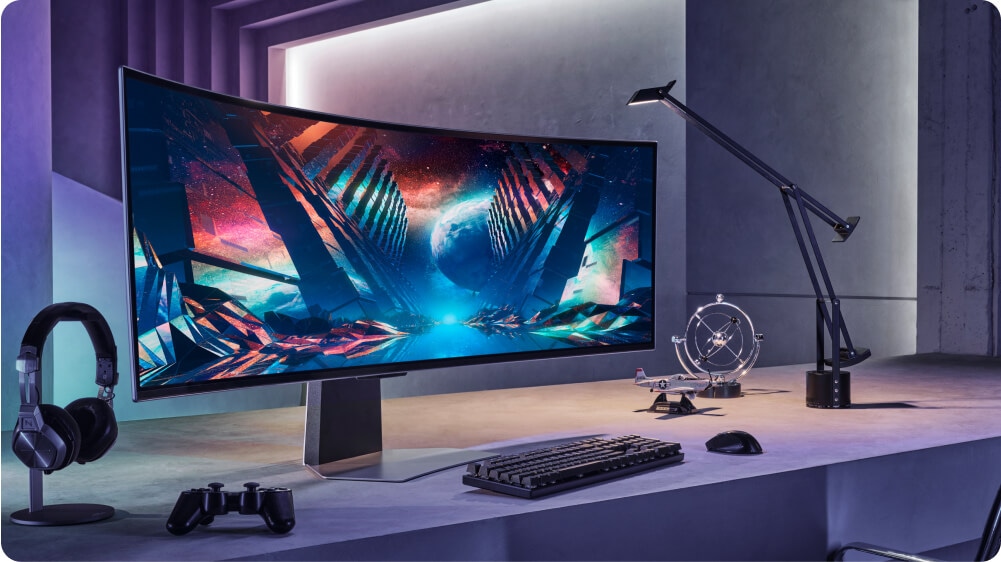
Ultrawide (21:9, 32:9): For Immersion Junkies.
These are massive. Like, spaing-your-desk massive. Great for simulators, RPGs, watching movies. But for competitive shooters? They can be a disadvantage. You might not be able to fit the whole screen in your view. Also, not all games support ultrawide resolutions properly. Check support first. And your wallet.
HDR. High Dynamic Range. Is It Worth The Hype?
HDR aims for brighter brights, darker darks, and a wider color gamut. It can look incredible. But most monitors labeled ‘HDR’ are garbage. They barely meet the minimum specs. Look for VESA DisplayHDR certifications. DisplayHDR 600 is decent. DisplayHDR 1000? That’s where you start seeing real benefits.
The catch? HDR content is still limited. And it can be a pain to set up correctly. A lot of gamers turn it off because it looks worse than SDR. To be fair, if you have a budget for it, a good HDR monitor is amazing. But don’t expect miracles from cheap HDR.
Ports. Don’t Forget The Obvious.
Make sure it has the ports you need. HDMI 2.1 for modern consoles (PS5, Xbox Series X) and high-end GPUs. DisplayPort 1.4 or higher for PC gaming at high resolutions/refresh rates. USB hub? KVM switch? If you need ’em, check for ’em.
The Price Tag. What’s Realistic?
This is where things get ugly. Gaming monitors ain’t cheap. But you get what you pay for. Here’s a rough breakdown from my experience:
| Category | Typical Price Range (USD) | What to Expect |
|---|---|---|
| Budget (1080p, 60-144Hz, Basic Panel) | $150 – $250 | Entry-level. Decent for casuals. Might have compromises on color or viewing angles. |
| Mid-Range (1440p, 144-165Hz, IPS/VA) | $250 – $450 | The sweet spot. Good balance of features, performance, and price. Adaptive sync standard. |
| High-End (1440p/4K, 165Hz+, IPS/Fast VA) | $450 – $800 | Premium panels, faster response, better HDR, maybe G-Sync module. Top-tier performance. |
| Enthusiast (4K 144Hz+, OLED, Ultrawide) | $800+ | The best of the best. OLED is here. High refresh 4K is viable. Ultrawides. For those who demand everything. |
I bought a killer 1440p 165Hz IPS monitor with FreeSync Premium back in 2022 for about $350. Still rocks. Don’t get suckered into buying the ‘latest and greatest’ just because. Look for deals on last year’s models. You can save a ton.
Putting It All Together. My Final Verdict.
Stop overthinking. For most gamers, this is the play:
- Resolution: 1440p. Shoot for 4K only if you have the GPU to back it up and care about pixels more than FPS.
- Refresh Rate: 144Hz minimum. 165Hz is ideal for the price/performance sweet spot.
- Response Time: 1ms GtG. Non-negotiable.
- Panel Type: IPS. Best all-rounder. VA if you prioritize deep blacks and can tolerate potential smearing. Avoid TN unless you’re purely competitive and on a tight budget.
- Adaptive Sync: Get it. FreeSync/G-Sync Compatible is fine.
- Size: 27-inch is the sweet spot for 1440p. 24-inch for 1080p.
Remember that time I bought that ultrawide? Cool for like, two weeks. Then I went back to my 27-inch 1440p. The ultrawide just felt too damn big for competitive play. Learned my lesson. Stick to what works.
Frequently Asked Questions
Is a 240Hz monitor worth it?
For most people, no. If you’re a professional esports player with a rig capable of pushing 300+ FPS consistently, maybe. For the average gamer, the jump from 144Hz to 240Hz is less impactful than 60Hz to 144Hz. You’ll likely see better improvements by investing that money elsewhere, like a better GPU or a more color-accurate IPS panel.
Should I get IPS or VA for gaming?
IPS is generally recommended for a better all-around gaming experience due to its superior color accuracy and viewing angles, plus significantly improved response times. VA panels offer better contrast (deeper blacks), which is great for cinematic games and horror, but they can suffer from slower response times and smearing in fast-paced action. Choose VA if your priority is immersion in darker games and you can tolerate potential motion blur. Otherwise, go IPS.
What is the best resolution for gaming?
The ‘best’ resolution depends on your hardware and priorities. 1440p (QHD) is widely considered the sweet spot for most gamers, offering a significant visual upgrade over 1080p without being as demanding on your GPU as 4K. 1080p (FHD) is suitable for budget builds and high refresh rate competitive gaming. 4K (UHD) offers the most detail but requires a very powerful GPU to achieve playable frame rates at high refresh rates.
Do I need G-Sync or FreeSync?
Yes, you absolutely need some form of adaptive sync technology (G-Sync or FreeSync). It synchronizes your monitor’s refresh rate with your GPU’s frame rate, eliminating screen tearing and reducing stuttering. This results in a much smoother and more responsive gaming experience, especially when your frame rate fluctuates. FreeSync is more widely available and budget-friendly, with NVIDIA cards often supporting ‘G-Sync Compatible’ FreeSync monitors.
What monitor size is best for gaming?
The most popular and arguably best size for gaming is 27 inches, especially when paired with a 1440p resolution. This size offers a good balance of immersion and screen real estate without requiring excessive head movement. 24-inch monitors are excellent for 1080p resolution and competitive gaming where quick glances across the screen are crucial. Ultrawide monitors (21:9 or 32:9) are great for immersion in specific game genres but can be disadvantageous in competitive titles and may not be supported by all games.